
Choosing the right laptop in 2026 as a student is not just about specs—it’s about finding a device that fits your lifestyle, your academic needs, and even your budget. With technology evolving rapidly, laptops today are more powerful, portable, and versatile than ever before.
Why Student Laptops Are Essential
A laptop is the backbone of modern student life. It’s where you:
- Attend virtual lectures.
- Write essays and research papers.
- Collaborate on group projects.
- Stream entertainment during downtime.
- Manage finances, schedules, and personal productivity.
Unlike desktops, laptops give you the freedom to work anywhere—whether it’s the library, a café, or your dorm room. The right laptop can save you time, reduce stress, and even inspire creativity.
Key Considerations Before Buying
1. Performance
Students often underestimate how much processing power they need. While basic tasks like browsing and word processing don’t demand much, majors in engineering, design, or computer science require laptops that can handle heavy workloads.
- Light Use: Intel i5, AMD Ryzen 5, or Apple M-series base chips.
- Moderate Use: Intel i7, AMD Ryzen 7.
- Heavy Use: Apple M3 Pro, Intel i9, AMD Ryzen 9.
2. Battery Life
Imagine sitting through a 3-hour lecture followed by a study session at the library. A laptop that dies halfway through is a nightmare. Aim for 10+ hours of battery life.
3. Portability
Weight matters. Carrying a heavy laptop across campus daily can be exhausting. Look for laptops under 3 lbs if portability is a priority.
4. Storage
SSD storage is a must in 2026. At least 256GB is recommended, but 512GB ensures you won’t run out of space for projects, videos, and apps.
5. Durability
Students are constantly on the move, so durability is key. Metal chassis, spill-resistant keyboards, and sturdy hinges can make a big difference.
Best Student Laptops in 2026
1. Apple MacBook Air M4 (13in, 2025)
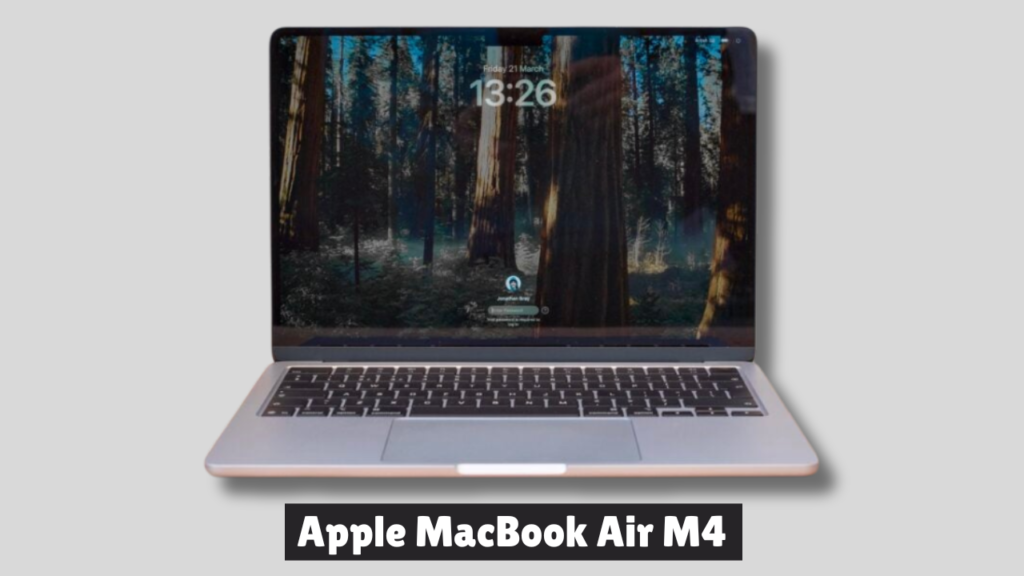
The Apple MacBook Air M4 (2025) is Apple’s most balanced ultraportable yet—lighter, faster, and cheaper than its predecessor. Starting at $999, it delivers excellent performance with the new M4 chip, all-day battery life close to 20 hours, and a premium design, though its 60Hz display and limited port selection remain drawbacks.
Key Specs
- Processor: Apple M4 (10-core CPU, integrated GPU)
- Memory: 16GB unified RAM (base), configurable up to 32GB
- Storage: 512GB SSD (base), up to 2TB
- Display: 13.3-inch Retina LED, 2560 × 1664 resolution, 60Hz
- Webcam: 12MP with Center Stage support
- Weight: 2.7 lbs (1.22 kg)
- Ports: 2 × USB-C (Thunderbolt 4), MagSafe charging, 3.5mm headphone jack
- Networking: Wi-Fi 6E, Bluetooth 5.3
- Battery Life: ~19–20 hours (tested)
- Price: Starts at $999 (13-inch), $1,199 (15-inch)
Design & Build
- Slim aluminum chassis with four color options: Silver, Sky Blue, Midnight, and Starlight.
- Fanless design ensures silent operation.
- Drawback: Still limited to two USB-C ports, requiring dongles for multiple peripherals.
Display & Audio
- Retina LED panel remains sharp and bright, but lacks OLED’s deeper contrast and higher refresh rates.
- Speakers: Clear and balanced, suitable for streaming and video calls, though not as powerful as MacBook Pro’s setup.
Performance
- M4 chip delivers a noticeable boost over the M3, handling productivity, creative workloads, and light gaming with ease.
- Unified memory ensures smooth multitasking, even in the base 16GB configuration.
- Graphics: Integrated GPU is strong enough for photo editing and light video work, but not ideal for heavy 3D rendering.
Battery & Connectivity
- Battery life (~20 hours) is excellent, outlasting most Windows ultrabooks.
- Connectivity: Thunderbolt 4 support allows dual external 6K displays, but port variety is limited.
- Webcam: Center Stage-enabled 12MP camera improves video calls.
Pros
- Lower starting price ($999) than previous generation
- Excellent performance with M4 chip
- Long battery life (~20 hours)
- Premium, lightweight design
- Improved webcam with Center Stage
Cons
- Display limited to 60Hz, no OLED option
- Few ports (2 × USB-C + MagSafe)
- Windows ultrabooks offer more variety in design and features
Real-world scenario: Perfect for design students editing videos in Final Cut Pro while still having enough battery to last through lectures.
2. Dell XPS 13 (2025 Edition)
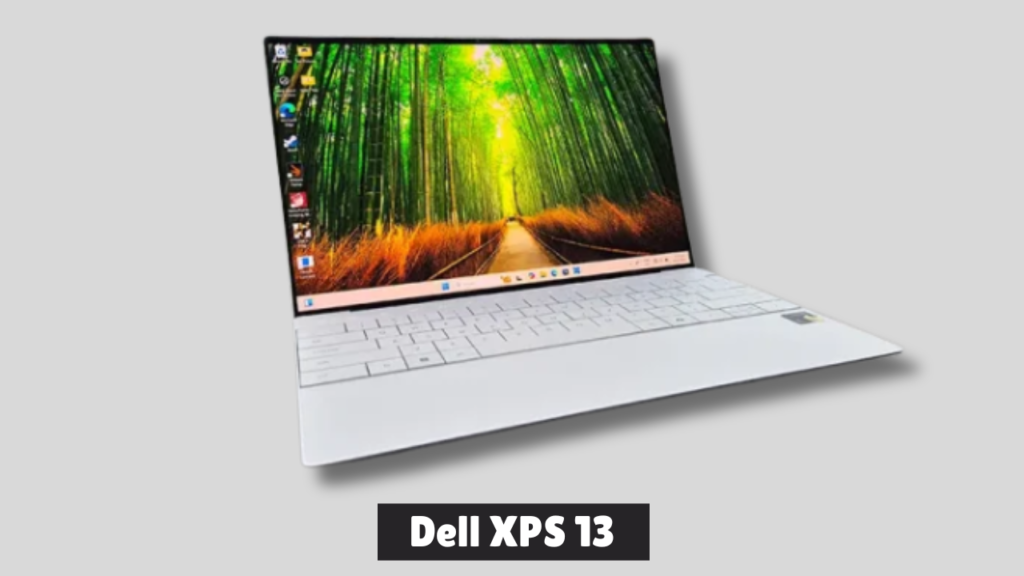
The Dell XPS 13 (2025 Edition) is a sleek ultrabook powered by Qualcomm’s Snapdragon X Elite chip, offering excellent portability, a stunning OLED display, and solid battery life. However, its minimalist design sacrifices usability with limited ports and an invisible touchpad, making it less ideal for heavy creative workloads.
Key Specs
- Processor: Qualcomm Snapdragon X Elite X1E-80-100
- Display: 13.4″ 3K OLED (2880 × 1800), InfinityEdge, Eyesafe-certified
- Memory: 32GB LPDDR5x RAM
- Storage: 1TB NVMe SSD
- Graphics: Qualcomm Adreno integrated GPU
- Weight: ~1.17 kg
- Ports: 2 × USB-C (Thunderbolt 4), no audio jack
- Battery: 55 Whr, ~10–11 hours real-world use
- OS: Windows 11 Home
Design & Build
- Ultra-thin and lightweight (14 mm thick, 1.17 kg) – perfect for students, travelers, and digital nomads.
- Minimalist aesthetic with clean lines and futuristic invisible touchpad.
- Drawback: Only two USB-C ports, no HDMI, USB-A, or headphone jack.
Display & Audio
- OLED panel delivers vivid colors and immersive visuals, excellent for movies and creative work.
- Speakers are crisp and loud, though lacking in bass.
- Optional FHD version available at a lower price, but OLED is worth the upgrade for entertainment and productivity.
Keyboard & Touchpad
- Keyboard: Large, clicky keys with decent feedback, but cramped layout.
- Touchpad: Invisible design looks futuristic but can be frustrating in daily use due to lack of borders.
Performance
- Everyday tasks: Smooth and responsive for office work, browsing, and light creative workloads.
- Benchmarks: Geekbench 6 Multi-Core score ~14,620; GPU performance lags behind Intel/Apple rivals.
- Content creation: Handles light Photoshop and video editing, but struggles with heavier tasks.
- Gaming: Playable for casual titles, but AAA games run at modest frame rates.
Battery & Heat
- Battery life: ~10–11 hours for light use, 4–5 hours under heavy workloads.
- Thermal management: Cool and quiet even under stress, minimal fan noise.
AI Capabilities
- NPU with 45 TOPS – future-proofed for AI tasks like webcam background blurs.
- Copilot+ certified with dedicated AI button.
- Practical benefits: Still limited, depends on evolving software ecosystem.
Pros
- Super light and portable
- Gorgeous OLED display
- Strong battery life for daily use
- Cool and quiet under load
- Sleek, futuristic design
Cons
- Very limited port selection
- Invisible touchpad hampers usability
- Not suitable for heavy creative or GPU-intensive work
Real-world scenario: Ideal for students who need a balance of portability and performance, whether writing essays or coding.
3. HP Pavilion Aero 13 (2025)
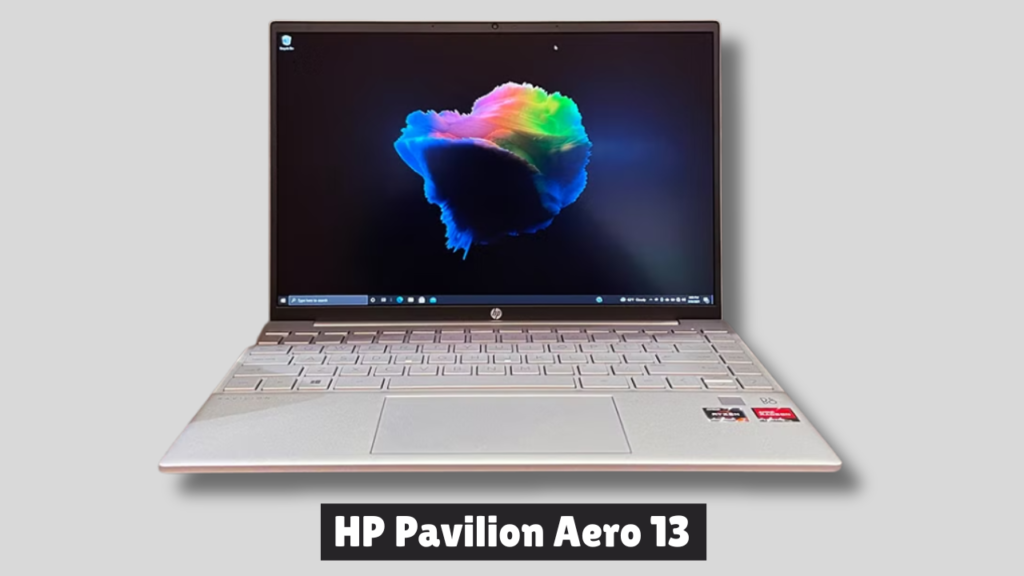
The HP Pavilion Aero 13 (2025) is one of the lightest laptops in its class, weighing just under 1 kg, and offers solid performance with AMD Ryzen processors, a sharp 2.5K display, and an affordable price point around $630. However, its battery life lags behind newer ARM-based competitors, and the limited port selection may frustrate power users.
Key Specs
- Processor: AMD Ryzen 5 8640U
- Graphics: Integrated AMD Radeon Graphics
- Memory: 16GB LPDDR5 RAM
- Storage: 512GB SSD
- Display: 13.3-inch IPS LCD, 2560 × 1600 resolution (2.5K)
- Webcam: 1440p high-resolution camera
- Weight: 2.16 lbs (0.98 kg)
- Ports: 2 × USB-C, 2 × USB-A, HDMI 2.1, combo audio jack
- Networking: Wi-Fi 6, Bluetooth 5.3
- Battery Life: ~10–11 hours (real-world use)
- Price: ~$630
Design & Build
- Ultra-light magnesium-aluminum chassis makes it highly portable.
- Premium feel despite being a budget-friendly laptop.
- Drawback: Plastic bezels around the display look cheap compared to rivals.
Display & Audio
- 2.5K resolution ensures sharp visuals for productivity and streaming.
- Bright and color-accurate panel suitable for students and professionals.
- Speakers: Adequate for video calls and casual media, but not standout.
Performance
- AMD Ryzen 5 CPU delivers smooth multitasking and productivity performance.
- Integrated graphics handle light creative work and casual gaming.
- Not ideal for heavy creative workloads compared to laptops with dedicated GPUs.
Battery & Connectivity
- Battery life (~10 hours) is decent but falls short of ARM-based competitors like Snapdragon X laptops, which can double runtime.
- Connectivity: Good mix of USB-C, USB-A, and HDMI, but lacks USB4/Thunderbolt support.
Pros
- Extremely lightweight and portable
- Affordable price for premium design
- Sharp 2.5K display
- High-resolution webcam
Cons
- Battery life below average compared to rivals
- Plastic bezels detract from premium feel
- No USB4/Thunderbolt ports
Real-world scenario: Great for students who want a reliable laptop without breaking the bank.
4. Lenovo IdeaPad Slim 5i
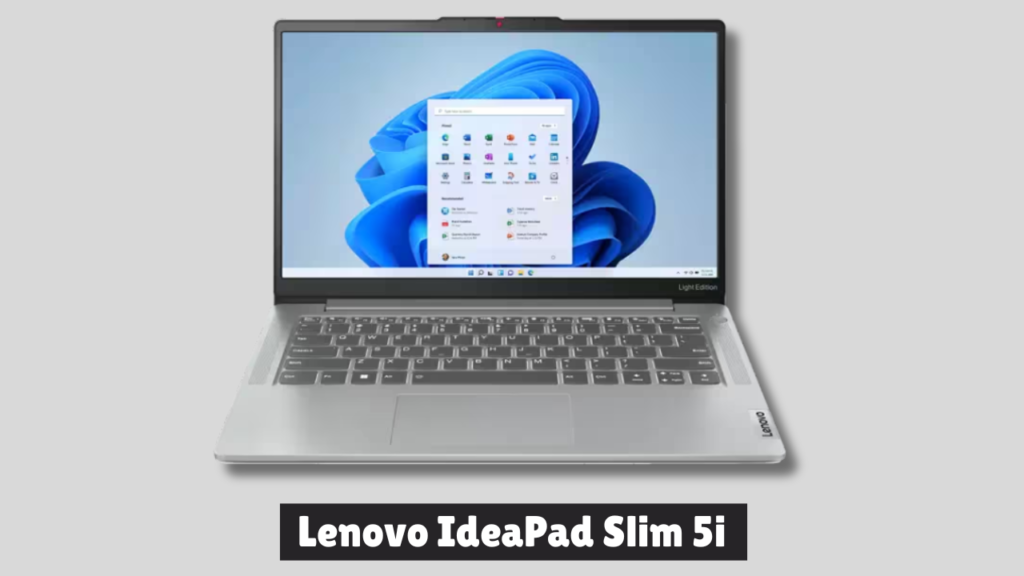
The Lenovo IdeaPad Slim 5i (2025) positions itself as a mid-range ultrabook with a balance of portability, solid performance, and affordability. It’s a strong option for students and professionals who want a reliable daily driver, though it faces stiff competition from rivals offering OLED displays and longer battery life.
Key Specs
- Processor: Intel Core Ultra 7 155H (Meteor Lake)
- Graphics: Integrated Intel Arc Graphics (8 Xe-cores)
- Memory: 16GB LPDDR5X RAM (non-upgradable)
- Storage: 1TB PCIe 4.0 SSD
- Display: 14-inch IPS LCD, 1920 × 1200 resolution (FHD+)
- Webcam: 1440p QHD camera
- Weight: 1.3 kg (2.86 lbs)
- Ports: 2 × Thunderbolt 4, 2 × USB-A, HDMI 2.1, microSD reader, audio jack
- Networking: Wi-Fi 6E, Bluetooth 5.1
- Battery Life: ~6–6.5 hours (real-world use)
- Price: Around NPR 160,000 in Nepal (~$1,200 internationally)
Design & Build
- Aluminum chassis gives it a sturdy, premium feel.
- Compact and lightweight at 1.3 kg, making it highly portable.
- Drawback: The design feels recycled and less stylish compared to Asus Zenbook or MacBook Air.
Display & Audio
- IPS panel with FHD+ resolution, 100% sRGB coverage, and 375 nits brightness.
- Touch support is included, but OLED competitors offer sharper visuals and richer colors at similar prices.
- Speakers: Down-firing stereo setup; serviceable for calls and casual media but lacks bass and depth.
Performance
- Intel Core Ultra 7 CPU delivers smooth multitasking and improved efficiency over older Intel chips.
- Integrated Arc graphics are a major upgrade, capable of handling light gaming (Cyberpunk 2077 at playable frame rates, Valorant and CS:GO smoothly).
- AI features (noise cancellation, auto-framing, background blur) are present but limited in real-world usefulness.
- Memory & storage: Fast 16GB LPDDR5X RAM and 1TB SSD ensure responsiveness.
Battery & Connectivity
- Battery life (~6 hours) is underwhelming compared to ARM-based laptops or OLED rivals that can push 10+ hours.
- Connectivity: Excellent port selection with Thunderbolt 4, HDMI 2.1, USB-A, and microSD reader.
- Webcam: High-quality 1440p camera, though missing a privacy shutter.
Pros
- Lightweight and portable aluminum build
- Powerful integrated Arc graphics for casual gaming
- Strong connectivity with Thunderbolt 4 and HDMI
- High-resolution webcam
Cons
- IPS display feels dated compared to OLED rivals
- Battery life below average for ultrabooks
- Speakers lack impact
- Premium pricing despite compromises
Real-world scenario: Perfect for students juggling multiple apps and assignments daily.
5. Acer Swift Go 14 (2025)
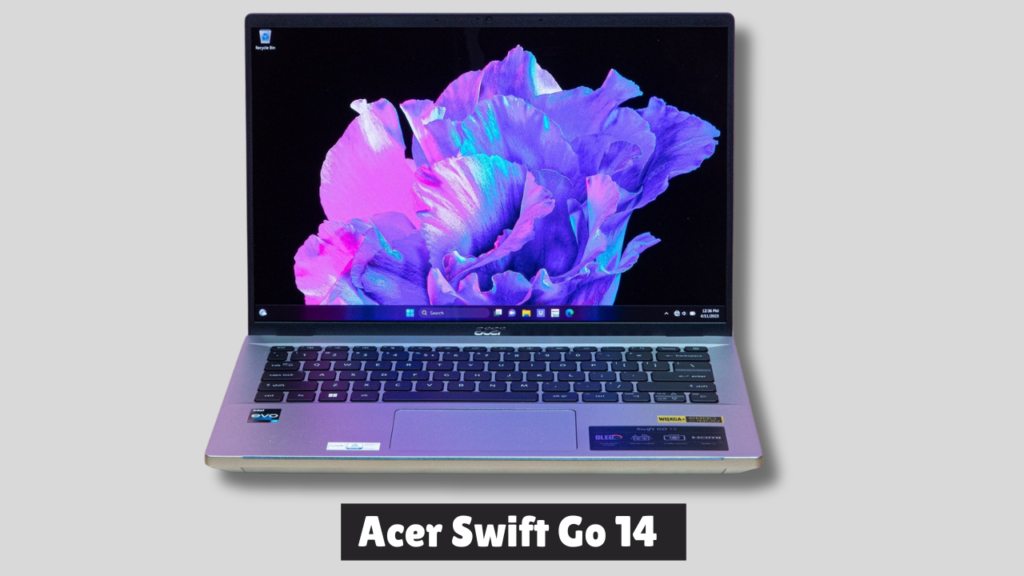
The Acer Swift Go 14 (2025, Snapdragon X Plus) is one of the most affordable ARM-based Windows laptops, offering excellent battery life potential (20+ hours), modern connectivity, and AI-enhanced features. However, its limited software compatibility, weak graphics, and underwhelming speakers make it best suited for light office work and web browsing rather than demanding tasks.
Key Specs
- Processor: Qualcomm Snapdragon X Plus (X1P-42-100, 8-core, 3.2–3.4GHz)
- Graphics: Integrated Qualcomm Adreno X1-45
- Memory: 16GB LPDDR5X RAM
- Storage: 512GB SSD
- Display: 14.5-inch matte IPS, 1920 × 1200 resolution, 120Hz refresh rate
- Webcam: 1440p with Windows Hello facial recognition
- Weight: 1.35 kg (2.97 lbs)
- Ports: 2 × USB 4, 2 × USB-A 3.2 Gen 1, 3.5mm audio jack
- Networking: Wi-Fi 7, Bluetooth 5.3
- Battery Life: Claimed 28 hours, realistically 20+ hours depending on workload
- Price: ~$1,599 AUD (~$1,050 USD)
Design & Build
- Metal chassis feels sturdy and premium, though design is understated.
- Matte screen finish reduces reflections, making it ideal for outdoor use.
- Drawback: Slightly heavier than rivals like the Asus Zenbook A14 (sub-1kg).
Display & Audio
- 120Hz refresh rate ensures smooth visuals, but slow pixel response causes motion blur in fast-moving content.
- Color accuracy and contrast are decent, though not on par with OLED panels.
- Speakers: Loud but tinny, lacking bass—disappointing for a laptop in this price range.
Performance
- Snapdragon X Plus CPU handles office productivity and web browsing smoothly.
- Integrated Adreno graphics are weak, struggling with video editing and modern gaming.
- AI features: Copilot+ enhancements, background blur, lighting adjustments, and wake-on-approach add convenience.
- Compatibility issues: Many Windows apps (e.g., Adobe Premiere, certain games) either run poorly or don’t install at all.
Battery & Connectivity
- Battery life (~20+ hours) is a major strength, far exceeding Intel/AMD rivals.
- Connectivity: Modern with USB 4, Wi-Fi 7, and Bluetooth 5.3.
- Webcam: Excellent 1440p camera with AI noise reduction and facial recognition.
Pros
- Long battery life (20+ hours)
- Modern connectivity (USB 4, Wi-Fi 7)
- Matte display reduces glare
- High-resolution webcam with AI features
- Affordable compared to other Snapdragon laptops
Cons
- Limited Windows software compatibility
- Weak graphics and poor gaming performance
- Tinny speakers with little bass
- Heavier than some ultraportable rivals
Real-world scenario: Ideal for students who want a laptop that doubles as a creative workstation.
Comparing the Top Picks
| Laptop | Best For | Battery Life | Weight | Price |
|---|---|---|---|---|
| MacBook Air M3 | Creative majors | 18 hrs | 2.7 lbs | $999 |
| Dell XPS 13 | General use | 14–15 hrs | 2.6 lbs | $899 |
| HP Pavilion Aero 13 | Budget students | 10–11 hrs | 2.2 lbs | $749 |
| Lenovo IdeaPad Slim 5i | Everyday multitasking | 12 hrs | 3.1 lbs | $649 |
| Acer Swift Go 14 | Academic + creative | 13 hrs | 2.8 lbs | $799 |
Tips for Students
When buying or setting up a laptop, it’s smart to think ahead and make choices that will serve you well for years. A good laptop should have enough power to handle future updates, plenty of storage options, and the right accessories to keep it safe and useful. Students especially can take advantage of software discounts that make expensive tools more affordable. Here are some practical tips to keep in mind:
- Future-Proofing: Try to choose a laptop with at least 16GB of RAM. This will make sure your device can handle new apps and updates without slowing down.
- Cloud Storage: Use services like OneDrive, Google Drive, or iCloud. They help you avoid running out of space and keep your files safe even if something happens to your laptop.
- Accessories: Invest in a sturdy laptop sleeve to protect your device, an external SSD for extra storage, and a wireless mouse for easier navigation.
- Software Discounts: If you’re a student, check for free or discounted access to tools like Microsoft Office or Adobe Creative Cloud. These can save you a lot of money while giving you professional-quality software.
Conclusion
The best student laptop in 2026 depends on your major, budget, and lifestyle. MacBook Air M3 is unbeatable for creatives, Dell XPS 13 is versatile, HP Pavilion Aero 13 is budget-friendly, Lenovo IdeaPad Slim 5i is reliable, and Acer Swift Go 14 balances academics with creativity.
By considering your needs and future-proofing your choice, you’ll invest in a laptop that not only supports your studies but also grows with you beyond graduation.